3D printing buyer’s guide
Construction 3D printers build walls and structures layer by layer from concrete, earth or special mortars.
What a construction 3D printer does
It builds walls layer by layer from a digital drawing, often without formwork.
A construction 3D printer builds walls and other structures one thin layer at a time. It uses concrete, earth or special mortars (a mortar is a mix of cement, sand and water).
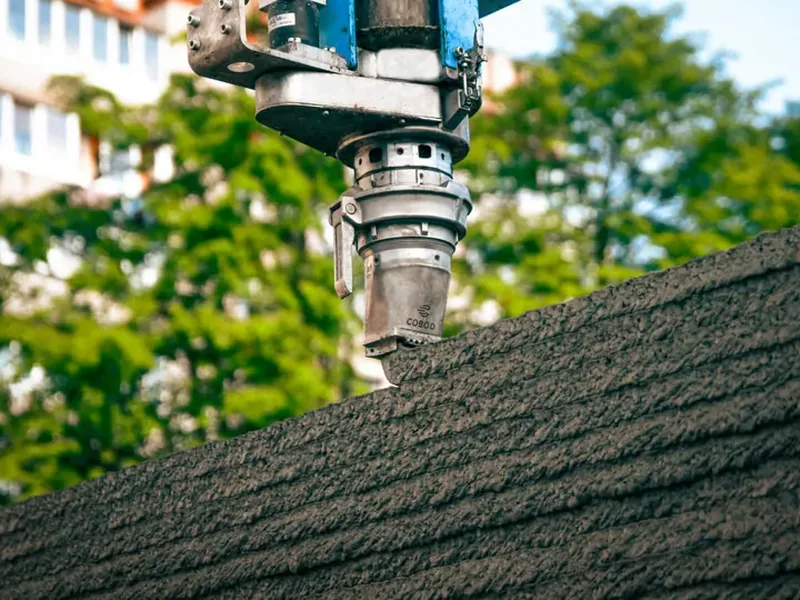
The machine extrudes the material. This means it pushes the material out through a nozzle, like toothpaste from a tube, while a computer moves the nozzle along a path taken from the drawing.
Because the printer shapes the wall itself, you usually need no formwork. Formwork is the wooden or steel mould that normally holds wet concrete in place.
Some printers work on the building site. Others work in a factory and make precast parts, which are pieces made indoors and then brought to the site.
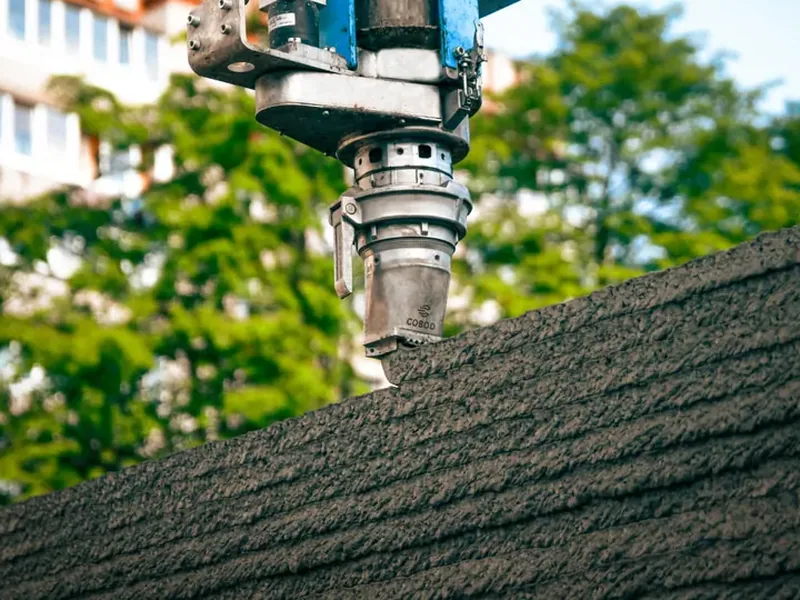
BOD2
Modular steel-gantry 3D construction printer extruding locally sourced concrete for walls of houses/buildings up…
From $400,000
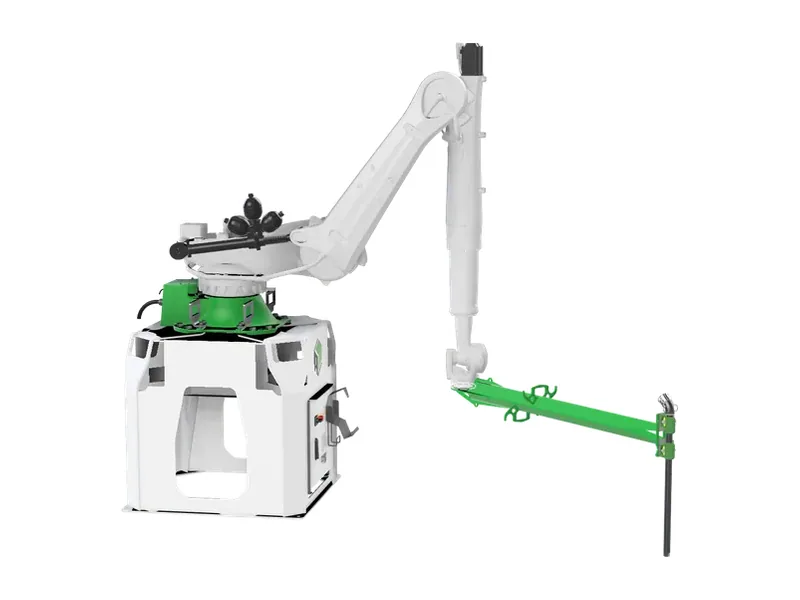
A1 System / A1X
Compact robotic-arm 3D concrete printing system for walls/structures; A1X adds extended rail
How much it costs
Most makers give prices only on request, so plan to ask for a quote.
Our catalogue lists 46 printers from 27 makers. 10 of them have a published price.
Only three of those prices are in euros. They go from €69,900 for a small education printer to €160,000 for a modular crane printer, with €104,900 in the middle.
Prices in US dollars cover a wider range. One maker sells modular gantry kits from $38,760, large gantry printers start from $400,000, and one tracked printer with pump is listed at $899,000.
The printer is not the full cost. Also ask about the pump, mixer, silo, software, transport, training and set-up.
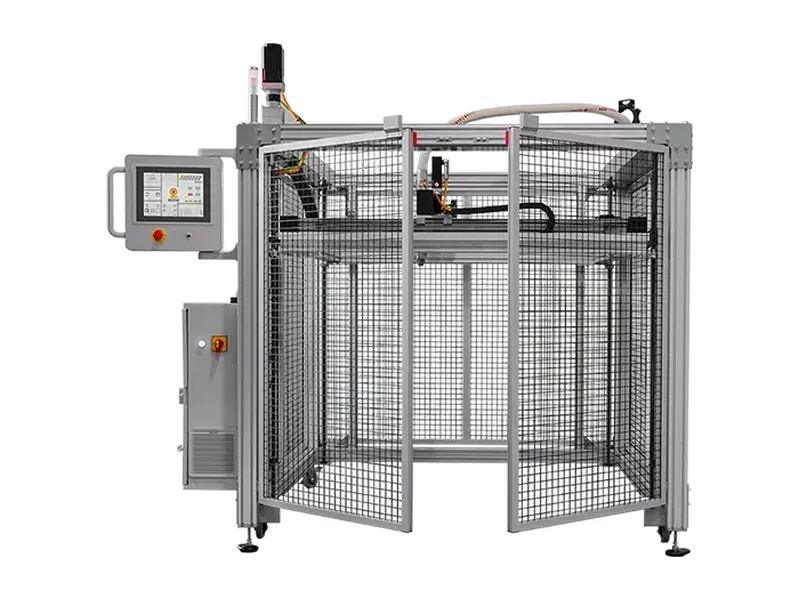
MiniPrinter EDU
Education/lab 3D concrete printer
From €69,900
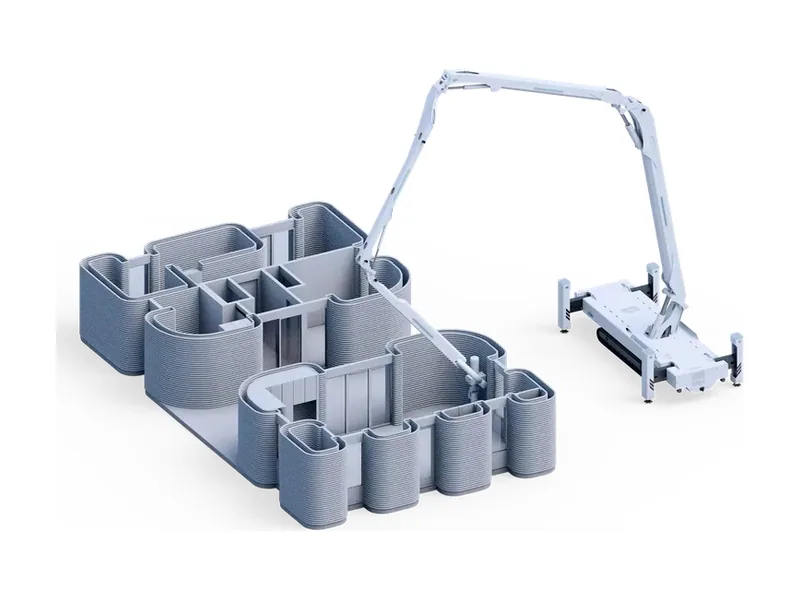
Titan
Tracked, diesel-powered 4-boom serial-arm 3D construction printer for walls of 1-2 storey homes; sold with pump…
$899,000 printer + pump
The main kinds of printer
Gantries cover big areas; robot arms are more flexible but reach less.
Printers differ mainly in how they move the nozzle. Each design has its own strengths and limits.
Gantry printers
A gantry is a large steel frame, like a bridge, that moves the print head sideways, forward and up. It covers a big rectangle and can print the walls of a whole house in one go.
Some gantries run on ground rails, so the print length has no fixed limit. The frame must be built up on site, which takes time and workers.
Robot arms
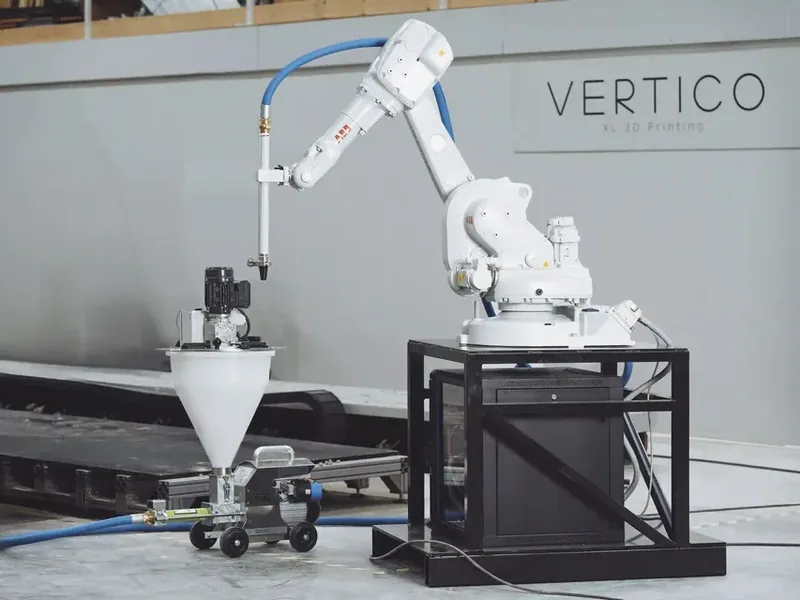
An industrial robot arm moves the nozzle much like a human arm. It can print curves and angles that are harder for a gantry.
An arm reaches less far. Makers often put it on crawler tracks or a linear track (a straight rail) so it can cover more area.
Crane and boom printers
These have a central column with a turning arm. They print in a circle around their base and are usually quicker to move than a big gantry.
Foldable printers
Some printers fold up for transport on a truck and unfold on site. This cuts set-up time compared with building a frame piece by piece.
BOD3
Gantry printer on ground rails with unlimited Y-length for terraced/row houses and long structures
From $400,000
Vertico On Track
6-axis robot-arm 3D concrete printing cell on a linear track for large prefab elements
On site or in a factory
Decide first whether you will print on the building site or make precast parts.
On-site printing builds the walls where the building will stand. You avoid moving heavy parts, but weather, power and ground conditions affect the work.
Factory printing makes precast parts indoors, under steady conditions. You then truck the parts to the site and lift them in place with a crane.
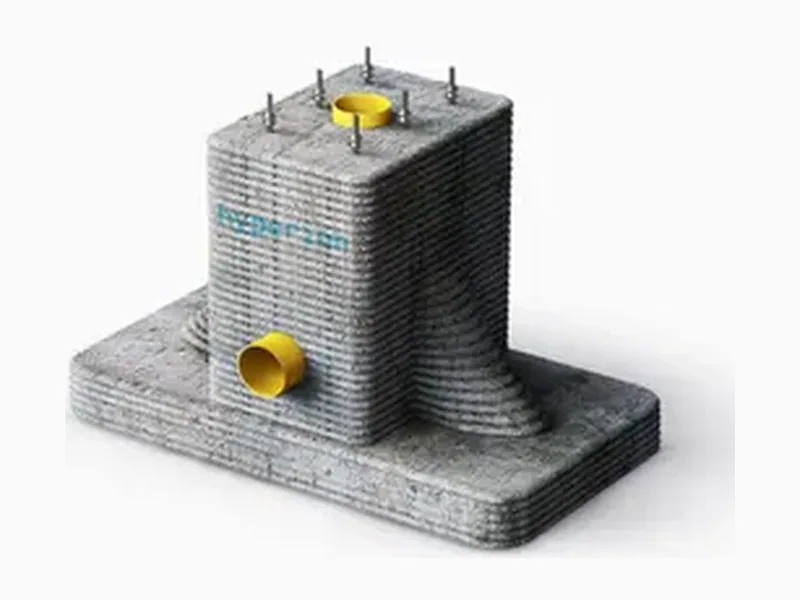
You do not always need to own a printer. You can buy one, rent one, or pay a company to print parts for you, for example concrete foundations for utility, rail or telecom sites. Ask which options each maker offers.
Platypus X12
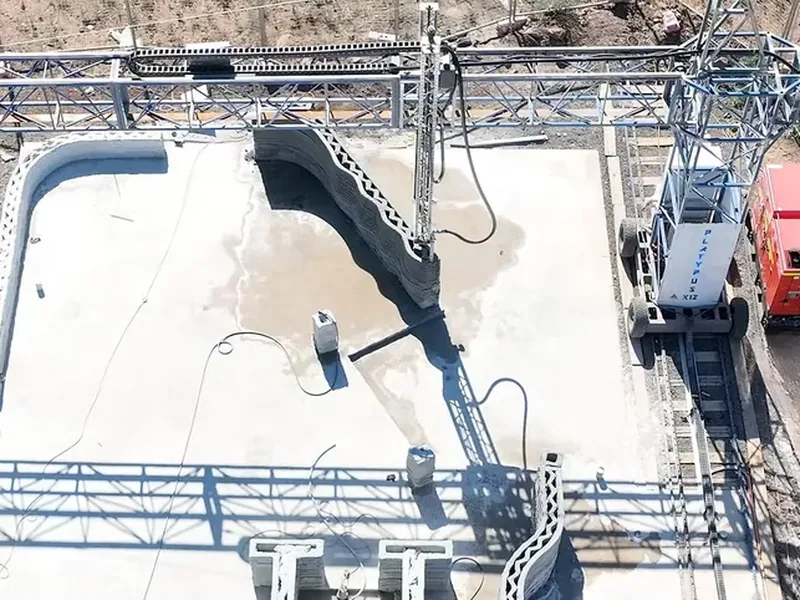
Mobile gantry 3D concrete printer that self-unfolds via a 'robotic transformer' into a 12 x 6 m printer
3D-printed concrete foundations
Designs and robotically 3D-prints optimised precast concrete foundations (small/medium/large) for utilities…
How to size it for your job
Match the print area and height to the largest building you plan to print.
Print area is the floor size the printer can cover. Print height is how tall a wall it can build without being moved.
The range is wide. One small mobile printer covers a print area of 150 m², while large gantries reach build volumes up to 40 m x 15 m x 9 m.
For more storeys (floors), you need a taller frame or a climbing printer. One gantry model prints houses up to three storeys, and one climbing printer claims heights up to 100 m.
Speed is given in millimetres per second (mm/s), the speed of the nozzle. Fast printers reach 500 mm/s, but the real limit is often how quickly each layer hardens enough to carry the next one.
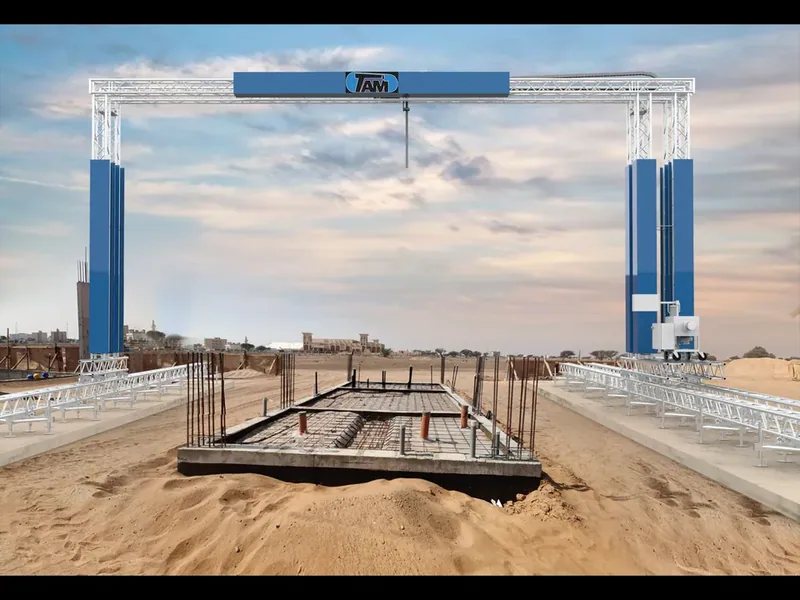
Berlin-1
3-axis flying-gantry concrete 3D printer, build volume up to 40 x 15 x 9 m.
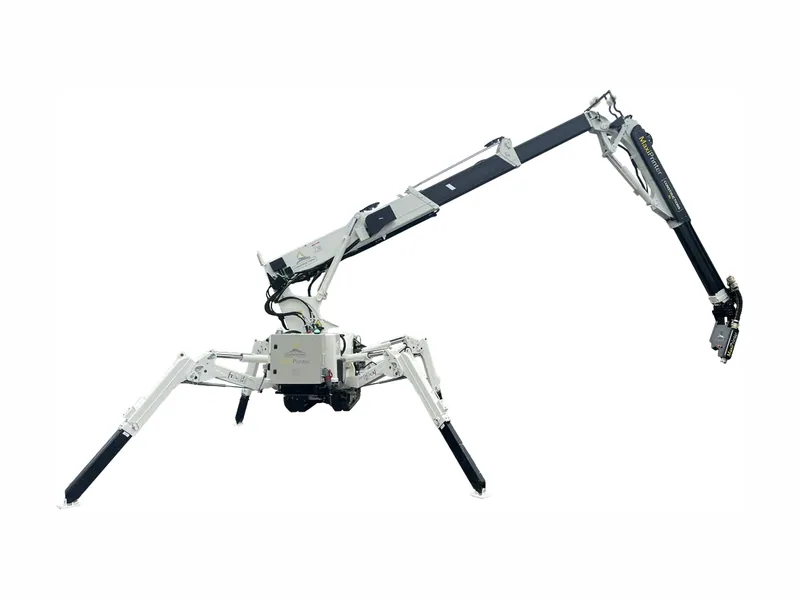
MaxiPrinter
Mobile, foldable 3D concrete printer (rotating arm) deployable on site, off-road capable
From $519,000
What to check before you buy
Check approved materials and your local building codes before anything else.
Building codes are the official rules for safe buildings. Printed walls are still new in many countries, so speak to your local building authority early.
Check which material the printer needs. Some work with local concrete and no special mix, while others need the maker’s own mortar, which you must keep buying.
Aggregate is the sand and small stones in concrete. The pump and hose set the largest stone size allowed, so check this with your concrete supplier.
- Set-up time on site and crew size
- Pump, mixer and silo: included or extra
- Power: grid, generator or diesel
- Warranty, spare parts, training and local service
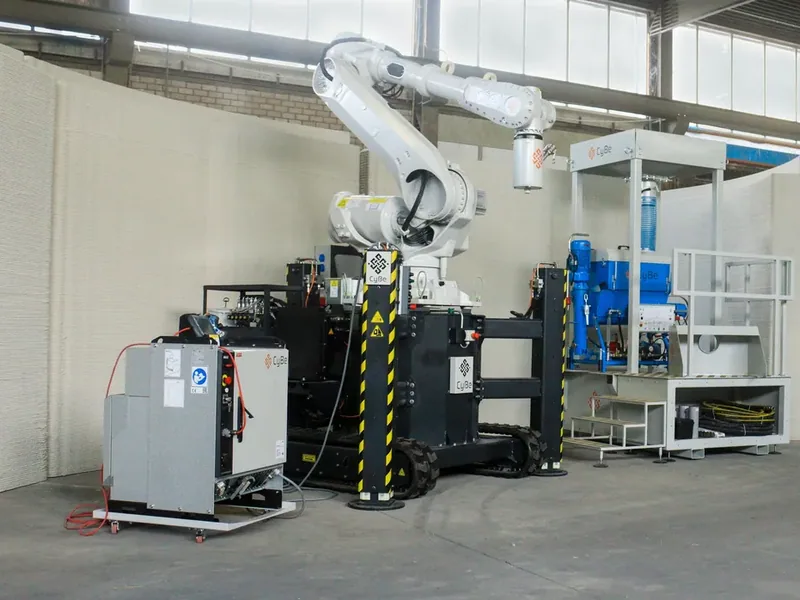
CyBe RC
Mobile tracked robot-arm 3D concrete printer for on-site or factory printing
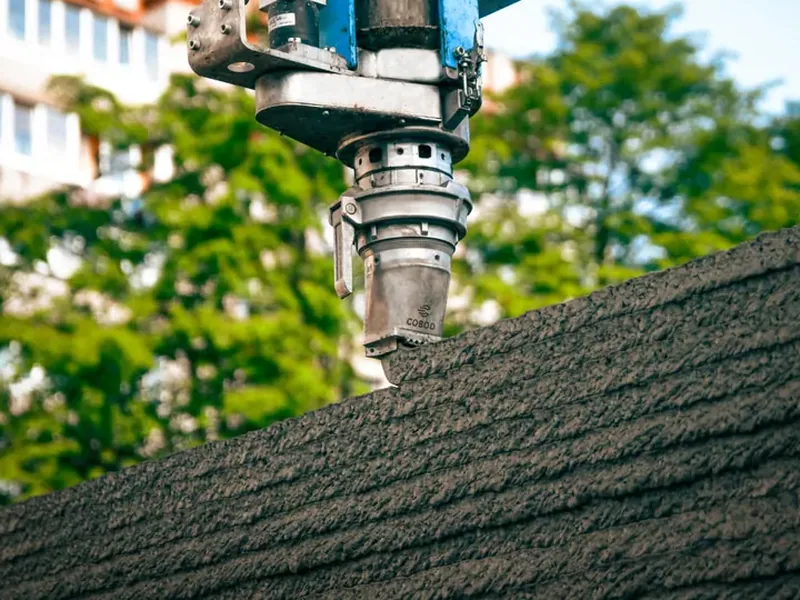
BOD XL
Extra-large gantry printer for multi-storey/large structures
From $400,000
Which one is for me?
- University, college or training centre: Look for a compact printing cell that fits in a lab or a room with a low ceiling. Good software and training matter more than print size. For example Vertico Compact / LabCell / EduCell.
- Small builder printing single houses on site: Look for a smaller mobile printer that a small crew can move and set up. Check that it works with concrete you can buy locally. For example MiniPrinter XL.
- Contractor building row houses or larger projects: Look for a large gantry with a long print length. Plan for transport, rails, a crane and set-up time on each site. For example OPUS 4.
- Precast concrete factory: Look for a robot arm on a linear track and a steady material supply. Good slicing software (it turns the drawing into a print path) keeps the line moving. For example CyBe RT.
- Utility, rail or telecom company needing small structures: You may not need to own a printer. Ask makers who print precast parts, such as foundations, as a service.
Compare all 46 construction 3D printers in our catalogue by kind, price and print size. Then ask two or three makers for a quote and a visit to a finished project.